
Customer Escalation Cabinet
v0.1.0Converts customer escalation chaos into a structured packet — incident header, timeline, customer impact, root-cause status, owner plan, comms log, and resolution plan — so every escalation is handled with the same rigor, not whoever is loudest in Slack. Three agents replace the ad-hoc Slack threads, manual Jira summaries, and support fire drills.
Customer Escalation Cabinet
agents
Engineering Liaison
.agents/eng-liaison/
Escalation CSM
.agents/escalation-csm/
Escalation Summary Agent
.agents/escalation-summary/
Escalation Competitor Watch — Switching Risk from Incidents
0 8 * * 1
New Escalation — Generate Packet
0 9 * * *
Daily Open Escalation Status
0 9 * * 1-5
3
Agents
3
Jobs
1
Depts
4
Pages
Translates the engineering incident from Jira and Linear into plain-language root-cause analysis, scope assessment, fix status, and ETA — so the escalation packet has a credible technical narrative without requiring a CS leader to interpret Jira.
Owns the customer-facing side of every escalation — drafts update communications, logs every customer touchpoint in the comms log, manages the account relationship through the incident, and ensures the customer feels seen and informed at every severity level.
Owns the escalation packet from trigger to close — structures the incident, coordinates the Engineering Liaison and Escalation CSM, writes the executive summary, and ensures every escalation is handled with consistent structure and a named owner at every step.
Customer Escalation Cabinet
Three agents — a Summary agent, an Engineering Liaison, and a Customer agent — convert every escalation from a Slack fire drill into a structured escalation packet: incident header, timeline, customer impact ($ and users), root-cause status, owner plan, comms log, and resolution steps. Per-escalation jobs run on demand; a daily status check keeps open escalations visible and moving.
Keep your Zendesk, Jira, and Linear. Replace the Slack escalation threads nobody can find, the manual Jira summaries, and the "who owns this?" confusion that burns hours and customer relationships.
The team
- [[.agents/escalation-summary]] — Escalation Summary Agent. Owns the escalation packet — structures the incident, writes the customer-facing summary, and coordinates the other two agents to fill in the technical and customer context.
- [[.agents/eng-liaison]] — Engineering Liaison. Translates the engineering incident from Jira/Linear into plain language for the packet — root-cause hypothesis, scope, fix status, and ETA.
- [[.agents/escalation-csm]] — Escalation CSM. Owns the customer-facing side: drafts the update comms, logs all customer touchpoints, and ensures the account relationship is managed through the incident.
Recurring rhythm
| Cadence | Job | Owner | Output |
|---|---|---|---|
| On-demand (enabled: false) | [[.jobs/new-escalation]] | Escalation Summary | Full escalation packet generated and written to escalations/<id>/ |
| Daily (Mon–Fri 09:00) | [[.jobs/open-escalation-status]] | Escalation Summary | Open escalations reviewed; stale ones flagged; packet updated |
| Weekly (Mon 08:00) | [[.jobs/competitor-watch-escalations]] | Escalation Summary | Competitor-related escalation pattern check; switching risk from active incidents |
How to run the demo
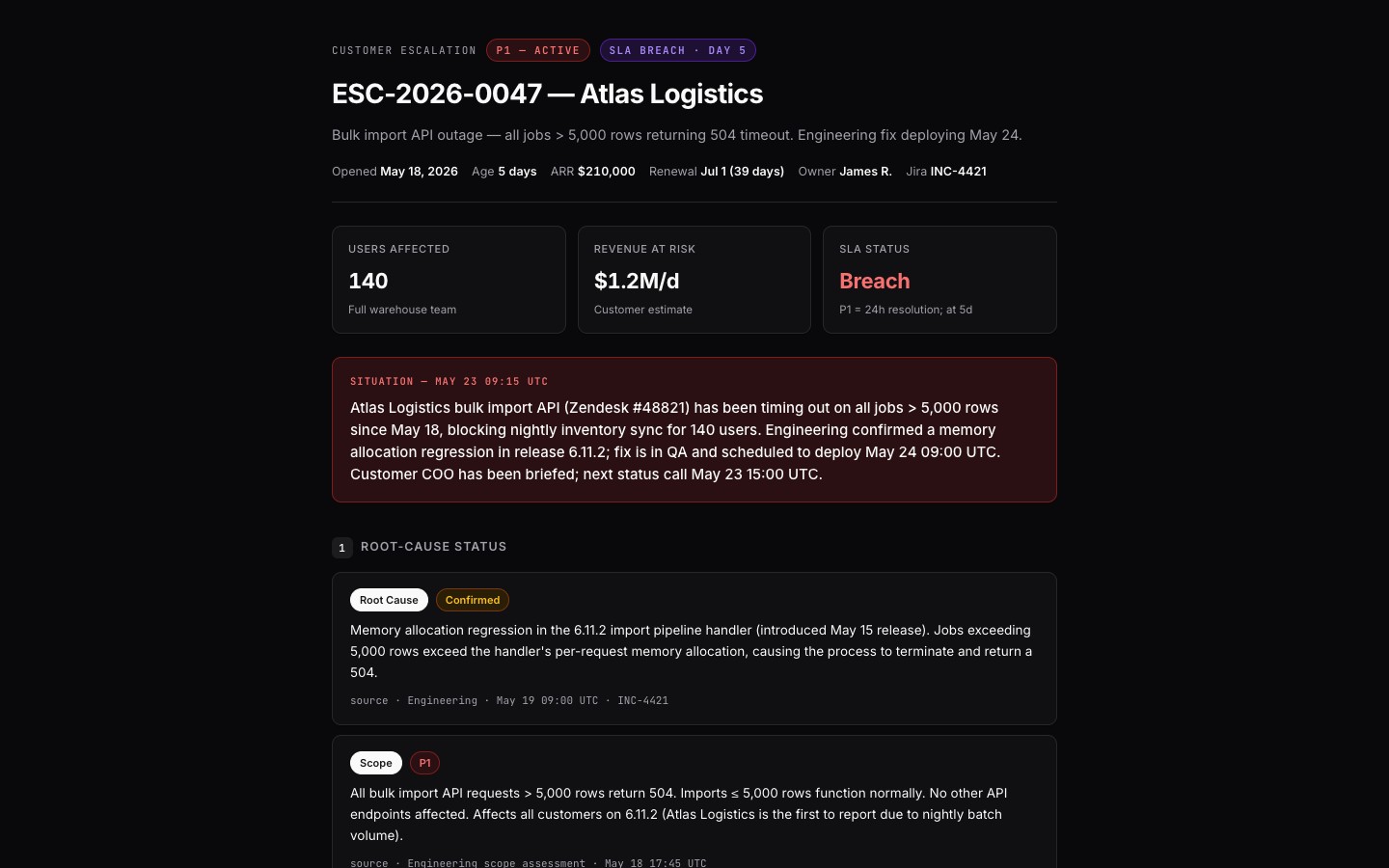
- Open the [[packet]] — the escalation packet for ESC-2026-0047 (Atlas Logistics API outage): incident header, full timeline, customer impact, root-cause status, owner, comms log, and resolution plan.
- Browse
escalations/— the directory of all active and resolved escalation packets. - Check
escalations/open.mdfor the current open escalation dashboard.
Connectors
Required: Zendesk or Intercom (support ticket source), Jira or Linear (engineering issue tracking), Slack (escalation channel feed). Recommended: PagerDuty / OpsGenie (incident alerts), CRM (account ARR and relationship context for impact assessment), Gong (customer call transcripts during escalation).
Cross-cabinet link: The competitor watch job checks whether active escalations involve issues where a competitor is marketing superiority — cross-referenced with [[../competitive-intelligence]] for the full landscape and switching-risk context.
Every artifact is a file
Every escalation is a directory: escalations/<id>/packet.md, timeline.md, comms-log.md. No Slack thread that scrolls away. No Jira comment wall. A structured, reviewable, forwardable record of what happened and how it was resolved.
$ git clone --filter=blob:none --sparse https://github.com/hilash/cabinets.git && cd cabinets && git sparse-checkout set customer-escalation