
Finance Memo Cabinet
v0.1.0Turns raw ERP and payroll data into a polished monthly CFO memo — revenue, burn, runway, expenses, and variance narrative — ready to share with leadership in minutes, not days.
Finance Memo Cabinet
agents
Finance Analyst
.agents/analyst/
Monthly Finance Memo
0 9 1 * *
Weekly Cash & Burn Snapshot
0 8 * * 1
Finance Writer
.agents/writer/
2
Agents
2
Jobs
1
Depts
2
Pages
Pulls monthly actuals from ERP, Stripe, and payroll; reconciles the numbers; computes all KPIs and variances; and writes the structured data file the Finance Writer uses to produce the CFO memo.
Reads the Analyst's structured data file and writes the full CFO memo — executive summary, section-by-section commentary, MoM narrative, and forward-looking notes — as a polished, boardroom-ready document.
Finance Memo Cabinet
Two agents pull the month's numbers from NetSuite, Stripe, and payroll, then write the CFO memo in full — revenue, burn, runway, expense breakdown, MoM trend, and variance narrative. Every memo is a file you can open, edit, forward, and archive. No more copying cells between tabs at midnight on the 1st.
Keep NetSuite, QuickBooks, and Stripe. Replace the Excel macro, the Slides deck, and the copy-paste sprint that produces the CFO memo.
The team
- [[.agents/analyst]] — Finance Analyst. Pulls actuals from ERP, Stripe, and payroll; reconciles the numbers; computes KPIs and variances; writes the structured data file the Writer works from.
- [[.agents/writer]] — Finance Writer. Takes the Analyst's data file and drafts the narrative memo — executive summary, section-by-section commentary, and forward-looking notes. Owns the final document.
Recurring rhythm
| Cadence | Job | Owner | Output |
|---|---|---|---|
| Monthly (1st 09:00) | [[.jobs/monthly-finance-memo]] | Analyst → Writer | Full CFO memo in [[memo]] |
| Weekly (Mon 08:00) | [[.jobs/weekly-cash-burn-snapshot]] | Analyst | Cash + burn snapshot in .cabinet-state/ |
How to run the demo
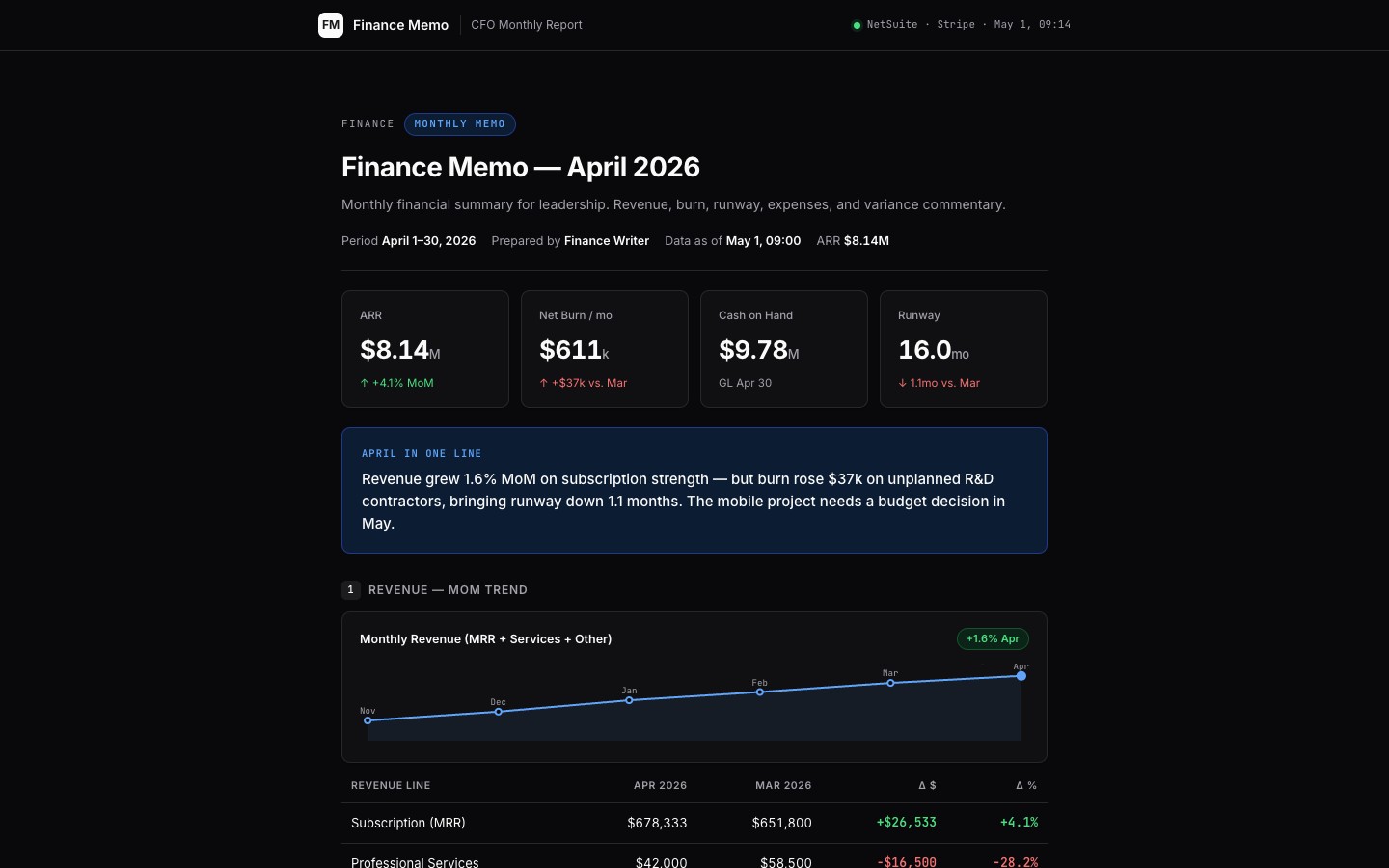
- Open [[memo]] — the current month's finance memo: KPI tiles, MoM revenue trend SVG, expense breakdown, variance notes, and full narrative.
- Browse
data/actuals-may-2026.md— the structured data file the Analyst writes and the Writer reads. Every number in the memo traces back to a line here. - Check
.cabinet-state/burn-snapshot.md— the weekly cash and burn flash the Analyst drops every Monday.
Connectors
Required: NetSuite or QuickBooks (GL actuals, expense categories), Stripe (ARR, MRR, churn), payroll system (headcount spend). Recommended: Xero (alternative GL), BI tool (Looker/Metabase for actuals pull), Google Drive (memo archive distribution).
$ git clone --filter=blob:none --sparse https://github.com/hilash/cabinets.git && cd cabinets && git sparse-checkout set finance-memo