
New Hire Onboarding
v0.1.0Structured onboarding workspace for every new employee — pre-boarding to 30-day mark. Keeps your HRIS as the system of record and replaces the Notion pages, BambooHR checklists, and scattered Slack DMs that make onboarding chaotic.
New Hire Onboarding
agents
People Ops Lead
.agents/people-ops/
Daily Onboarding Progress Check
0 9 * * 1-5
New Hire Onboarding Kickoff
0 9 * * *
Workflow Coordinator
.agents/workflow-coordinator/
2
Agents
2
Jobs
1
Depts
6
Pages
Owns the new-hire onboarding plan end-to-end — creates the workspace, tracks each phase, surfaces blockers, and ensures the new employee is set up to succeed by Day 30.
Executes cross-system setup tasks for new hires — account provisioning, equipment orders, calendar scheduling — and reports completion status back to the onboarding plan.
New Hire Onboarding
One workspace per new employee — from offer-accepted to 30-day mark. Two agents coordinate pre-boarding tasks, account provisioning, equipment logistics, intro meetings, and role context so nothing falls through the cracks. Every checklist item, equipment request, and meeting note is a file you can inspect and audit.
Keep Workday / BambooHR / Rippling. Replace the Notion onboarding pages nobody keeps current, the BambooHR checklists that go stale, and the "did IT create your account?" Slack threads.
The team
- [[.agents/people-ops]] — People Ops Lead. Owns the onboarding plan, communicates with the new hire, and surfaces blockers. Runs the daily progress check.
- [[.agents/workflow-coordinator]] — Workflow Coordinator. Executes cross-system tasks: account provisioning (Okta, Workspace, Slack), equipment ordering, calendar scheduling for intro meetings.
Recurring rhythm
| Cadence | Job | Owner | Output |
|---|---|---|---|
| On-demand | [[.jobs/kickoff]] | People Ops Lead | New hire onboarding plan + room populated |
| Daily (Mon–Fri 09:00) | [[.jobs/daily-progress-check]] | People Ops Lead | Progress report in progress/daily.md, blockers flagged |
How to run the demo
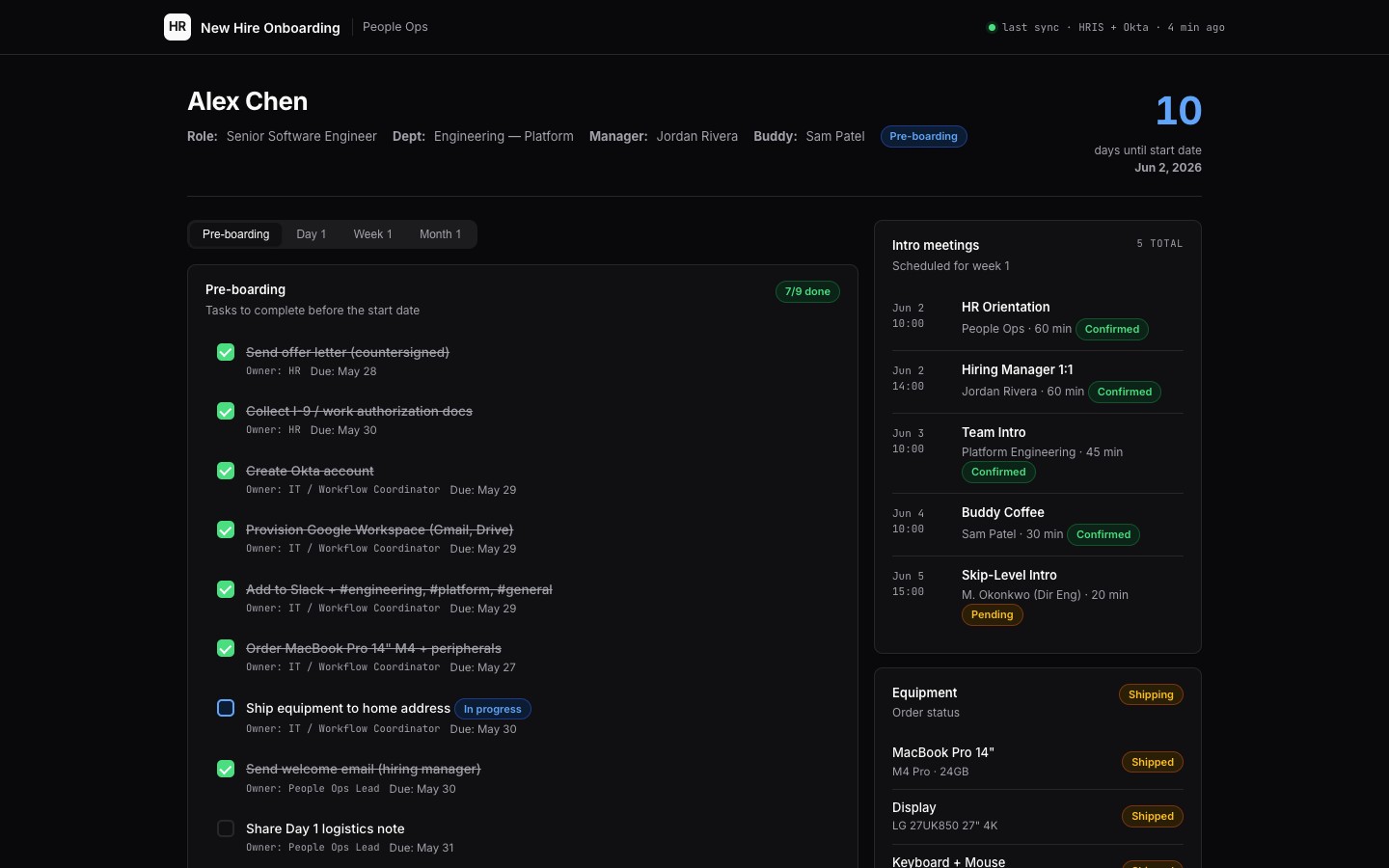
- Open the [[onboarding-room]] — the new hire's onboarding room: start-date countdown, phase checklist (pre-boarding / Day 1 / Week 1 / Month 1), intro meeting schedule, and equipment status.
- Browse [[hires/alex-chen]] — demo onboarding plan for a fictitious new hire (Engineering, starting June 2, 2026).
- Check [[progress/daily.md]] — the daily progress check artifact the job produces.
Connectors
Required: HRIS (Workday / BambooHR / Rippling), Google Calendar, Okta, Google Workspace (Gmail, Drive), Slack. Recommended: Notion or Confluence (role context docs), JIRA / Linear (team project context), Greenhouse / Lever ATS (offer details), equipment vendor API (Macs, monitors).
HR data note
All employee data in demo files uses invented names and placeholder emails (j.doe@example.com). In production, this cabinet reads from your HRIS — it does not store the system of record, only the working plan and progress state.
$ git clone --filter=blob:none --sparse https://github.com/hilash/cabinets.git && cd cabinets && git sparse-checkout set new-hire-onboarding