
YouTube Channel Factory
v0.1.0A complete YouTube OS in a directory. Fill in three placeholders (who you are, what your channel is about, your style and format), run the bootstrap prompt, and a creative-director agent builds out your channel brand, a 12-video content calendar, scripts, thumbnail prompts, and a production-gear decision guide (DSLR vs mirrorless vs phone, editing software, audio chain).
YouTube Channel Factory
agents
Creative Director
.agents/creative-director/
Weekly Calendar Fill
0 9 * * 1
Weekly Video Prep
0 10 * * 3
1
Agents
2
Jobs
1
Depts
18
Pages
YouTube creative director — channel strategy, scripting, thumbnail briefs, retention engineering, SEO/title craft, gear recommendations
🎬 YouTube Channel Factory
A complete YouTube OS in a directory. Fill in three placeholders, run the bootstrap prompt, and your
Creative Directoragent builds out the rest — channel brand, content calendar, scripts, thumbnail briefs, and a production-gear recommendation tuned to your budget and format.
⚡ Bootstrap your Channel OS
Step 1. Fill in the three placeholders in Onboarding below. Be specific.
Step 2. Open the AI panel on this page. Paste the prompt block. Run.
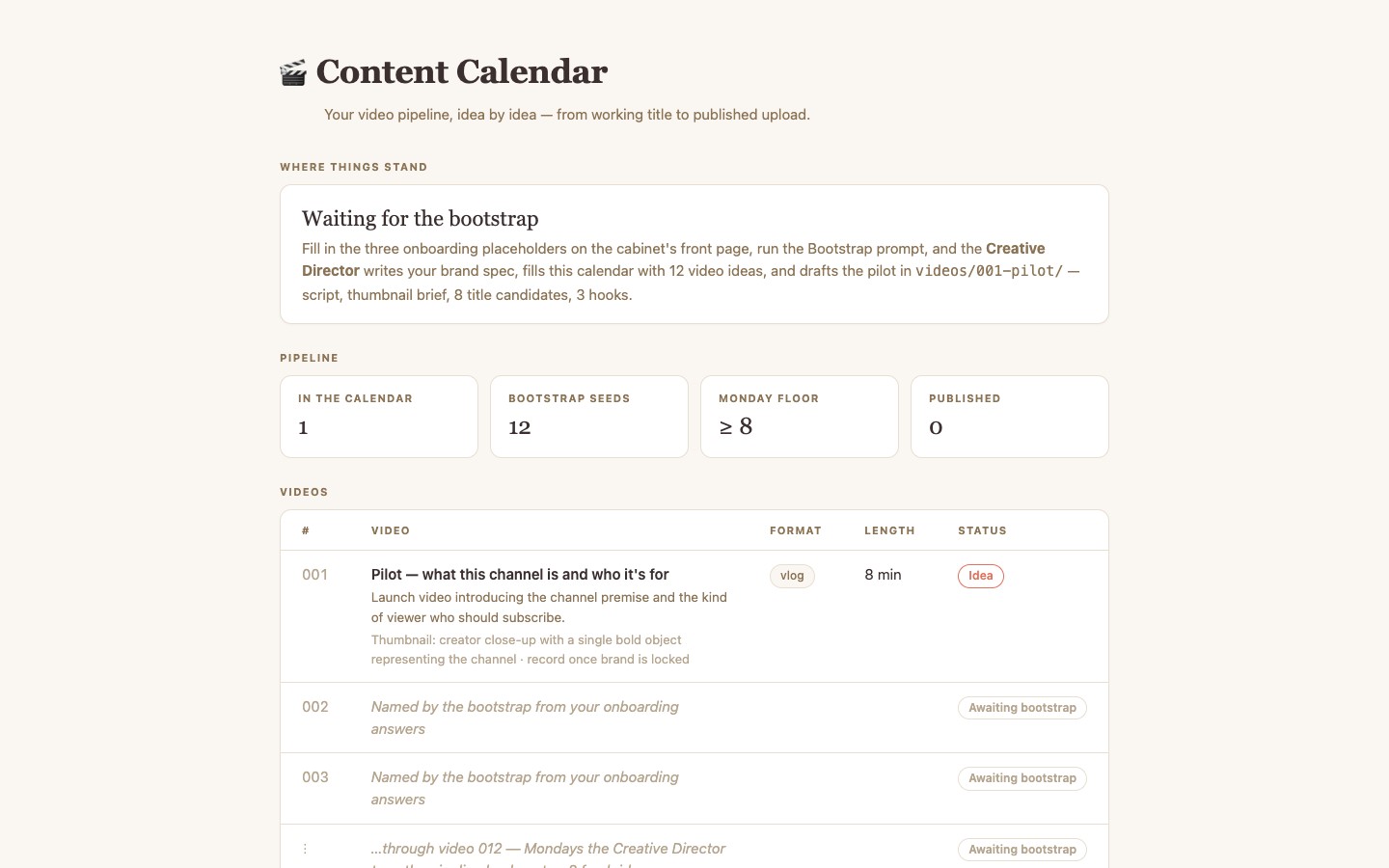
Step 3. Wait. The agent will: write brand/index.md, populate content-calendar.csv with 12 video ideas, draft a launch video in videos/001-pilot/ (script + thumbnail brief + 8 title candidates + 3 hook candidates), and recommend a production setup.
You are the Creative Director agent for this YouTube Channel Factory cabinet. The creator has
just filled in the "Onboarding" section of index.md with three answers: who they are, what the
channel is about, and the style/format/budget.

Read those three answers. Then build out the cabinet in this exact order:

1. Write `brand/index.md` based on the creator's answers. Lock in: channel name, one-line
   premise, target viewer (be specific), default video format (tutorial / vlog / essay /
   listicle / reaction / mini-doc / short), target length, upload cadence, channel voice
   (5 do's and don'ts), the "channel arc" question every video helps the viewer answer, and
   the visual identity (color palette, typography, on-screen graphic style).

2. Generate 12 video ideas in `content-calendar.csv`. Number them 001–012. Each row gets
   working_title (under 60 chars), premise, format, target_minutes, thumbnail_concept (one
   drawable sentence), status=`idea`, target_publish_date matching the cadence. Episode 001
   is a launch/manifesto video that introduces the channel.

3. Draft `videos/001-pilot/script.md` using the right template from
   `generators/script-generator.md`. Read it aloud. Cut anything that sounds written.

4. Draft `videos/001-pilot/thumbnail-brief.md` using `generators/thumbnail-generator.md`.
   Include: central concept, on-thumbnail text, image-gen prompt, two alternative concepts.

5. Append "## Title candidates" (8) and "## Hook candidates" (3) to
   `videos/001-pilot/index.md` using `generators/title-and-hook-generator.md`.

6. Append "## End-screen + CTA" to the same file using `generators/end-screen-generator.md`.

7. Recommend a production setup. Read `production-guide/index.md`. Based on the creator's
   format and budget, append a "## Recommended production setup" block to `brand/index.md`
   with a 1-line answer plus 2–3 lines of reasoning (camera, audio, lighting, editor).

8. Append "## ✅ Bootstrap complete — [YYYY-MM-DD]" to this index.md listing what you built
   and what the creator should do next.

Rules:
- Use ONLY what the creator wrote in Onboarding. Do not invent biographical details.
- If a placeholder is empty or vague, ask the creator to fill it in. Do not guess.
- Do not modify `production-guide/`, `publishing-guide/`, or `generators/` — those are
  durable templates.
🧩 Onboarding — fill these in
1. Who are you?
Name, what you do, why you specifically can host THIS channel, your on-camera personality. "Former pastry chef who now does kitchen fails on camera — warm but blunt, swears occasionally" beats "I love food."
_________
2. What is the channel about?
Premise in one sentence. Target viewer (specific — "people who just bought their first DSLR camera, in the first 30 days" beats "photography people"). The 3 questions every video helps them answer. What this channel is NOT about (lock the scope).
_________
3. What style, format, and budget?
Default video format (tutorial / vlog / essay / listicle / reaction / mini-doc / short). Target length in minutes. Upload cadence (weekly? 2x weekly?). On-screen energy (calm? high-energy? deadpan?). Visual style (clean talking-head? cinematic B-roll heavy? screen-record?). Production budget tier — $0 (phone), ~$300 (basic setup), ~$1500 (mid-tier), $5K+ (cinema). Three words you want viewers to use to describe the channel. Three words it must never sound like.
_________
📚 What is in this cabinet
| Page | What it is |
|---|---|
| [[brand/index]] | Channel brand spec — populated by bootstrap |
content-calendar.csv |
The video pipeline — interactive table |
| [[videos/index]] | Video catalog + reusable template |
| [[generators/index]] | Copy-paste prompt packs: script, thumbnail, title/hook, end-screen |
| [[production-guide/index]] | Camera / audio / lighting / editor decision matrix |
| [[publishing-guide/index]] | YouTube SEO, Shorts repurposing, distribution |
🤖 Your team
- 🎬 Creative Director — script, thumbnails, retention, SEO, gear. Refills the calendar Mondays. Drafts next video Wednesdays.
🔁 What runs on a schedule
- Weekly Calendar Fill — Monday 9am. Top up to ≥8 videos in pipeline.
- Weekly Video Prep — Wednesday 10am. Script + thumbnail + titles + hooks for the next un-shot video.
🚀 After the bootstrap
- Read
brand/index.md. Edit anything that doesn't sound like you. - Read the pilot in
videos/001-pilot/script.md. Read it aloud. Cut what you wouldn't actually say. - Pick a production setup from
production-guide/index.md. Order what you don't have. - Generate the thumbnail using the brief in
videos/001-pilot/thumbnail-brief.md. - Shoot. Edit. Upload. Update calendar to
status=published. - Wednesday agent drafts video 002 for you.
$ git clone --filter=blob:none --sparse https://github.com/hilash/cabinets.git && cd cabinets && git sparse-checkout set youtube-channel-factory